


Description
How to Charge Off Stamp Vape – Complete & Detailed 2026 Guide
Understanding how to charge Off Stamp vape properly is one of the most important steps to ensure safe operation, long battery life, and consistent performance. Off Stamp devices use advanced rechargeable battery docks, USB-C charging ports, and smart chip protection, which means improper charging methods can reduce lifespan or cause charging errors.
This comprehensive guide covers everything you need to know about how to charge Off Stamp vape, including:
- Correct step-by-step charging instructions
- How Off Stamp charging docks work
- LED light and screen indicator meanings
- How long Off Stamp vapes take to charge
- Common charging mistakes to avoid
- Troubleshooting when an Off Stamp vape won’t charge
- Best battery care practices for long-term use
This guide applies to all Off Stamp models, including X Cube, SW series, Classic Cube, Mini, and rechargeable disposable systems.

Understanding How Off Stamp Vape Charging Works
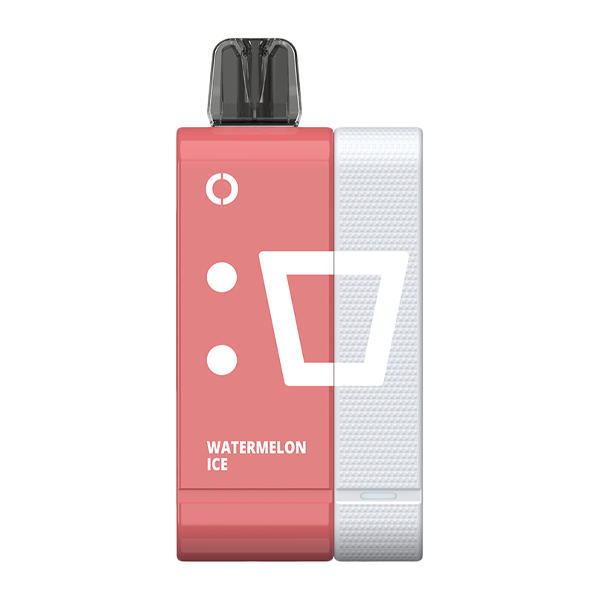
Unlike traditional disposables, Off Stamp vapes are rechargeable disposables. This means the disposable pod or bar connects to a separate battery dock or base, which supplies power and contains the USB-C charging port.
Key features of Off Stamp charging systems:
- The pod or disposable bar usually does NOT have a charging port
- Charging is done through a removable battery dock
- The dock contains USB-C fast-charging support
- Built-in smart chips regulate voltage, temperature, and overcharge protection
- Charging output is optimized for 5V low-watt charging
This design improves safety, prevents overheating, and allows users to replace pods while reusing the battery dock.
Step-by-Step Instructions: How to Charge Off Stamp Vape
Follow these steps exactly for safe, correct, and efficient charging.
Step 1: Check Your Off Stamp Vape Battery Level
Before charging, confirm whether your Off Stamp vape actually needs power.
Battery indicators by model:
- Off Stamp X Cube
- Digital battery icon or bar on screen
- Low battery warning appears when charge is low
- Off Stamp SW & LED models
- Green light: High battery
- Blue light: Medium battery
- Red light: Low battery (charging required)
Charging before the battery is fully drained helps maintain long-term battery health.
Step 2: Attach the Disposable Pod to the Battery Dock
Most Off Stamp systems require the pod to be securely attached to the battery dock before charging.
How to attach correctly:
- Align the pod with the dock
- Let magnets or connectors pull it into place
- Ensure there are no gaps or loose connections
The pod cannot charge independently without the dock, even if it contains e-liquid.
Step 3: Locate the USB-C Charging Port
Find the USB-C port on your Off Stamp vape system.
Typical locations:
- Bottom of the battery dock
- Side of the battery base on certain models
If there is a protective rubber cover, gently remove it before plugging in the cable.
Step 4: Choose the Right Charger and Cable
Using the correct charger is critical to avoid battery stress or overheating.
Recommended charging setup:
- USB-C cable in good condition
- Wall adapter rated 5V, 1A–2A
- Avoid extremely high-watt fast chargers
You may safely use:
- Standard wall outlet with USB adapter
- Laptop or desktop USB port
- Power bank with standard USB output
High-watt chargers can still work, but low-watt charging is safer and extends battery lifespan.
Step 5: Plug In and Begin Charging
- Insert the USB-C cable into the Off Stamp dock
- Plug the other end into your power source
- Ensure the cable fits securely
Once connected, charging begins automatically with no buttons required.
How to Know If Your Off Stamp Vape Is Charging
Off Stamp vapes use visual indicators to confirm charging status.
Charging indicator meanings:
- Solid or pulsing red light: charging in progress
- Animated battery icon: charging (screen models)
- Solid green light or full battery icon: charging complete
If no light appears, check the cable, adapter, and connection.
How Long Does It Take to Charge an Off Stamp Vape?
Charging time depends on battery capacity and charger strength.
Typical charging times:
- Small batteries: 30–45 minutes
- Larger battery docks: 60–120 minutes
Once fully charged, unplug the device to prevent unnecessary heat buildup.
How to Charge Off Stamp Vape Without the Original Charger
If the original charger is unavailable, Off Stamp vapes can still be charged using alternative power sources.
Safe alternatives include:
- Laptop USB port
- Desktop computer
- Power bank
- USB wall outlet
As long as the output is standard 5V, charging remains safe.
Some Off Stamp battery docks can be charged without the pod attached, allowing you to charge the dock first and attach the pod later.
Common Charging Mistakes to Avoid
Avoiding these mistakes helps prevent charging errors and battery damage.
- Using damaged or cheap USB-C cables
- Leaving the vape plugged in overnight repeatedly
- Charging in very hot environments
- Using excessively powerful fast chargers constantly
- Allowing e-liquid or dust to enter the charging port
These mistakes are the most common reasons users experience charging failure or short battery life.
Troubleshooting: Off Stamp Vape Not Charging
If your Off Stamp vape is not charging, follow this checklist:
1. Replace the Cable or Adapter
Faulty cables are the most common issue.
2. Clean the Charging Port
Use a dry cotton swab to remove lint or residue.
3. Reattach the Pod and Dock
Remove and reconnect firmly until aligned.
4. Switch Power Sources
Try a different wall outlet, laptop, or power bank.
5. Observe the LED Behavior
No light may indicate battery failure or internal damage.
If charging still fails after these steps, replacement is usually the safest option.
Best Practices to Extend Off Stamp Vape Battery Life
Follow these tips to maximize battery performance:
- Charge before battery fully drains
- Use low-watt chargers whenever possible
- Unplug once fully charged
- Store in cool, dry environments
- Keep contacts and ports clean
Proper care can significantly extend battery lifespan over many charge cycles.
Frequently Asked Questions: Charging Off Stamp Vape
how to charge Off Stamp vape correctly?
Attach the pod to the dock, plug in a USB-C cable with a 5V charger, and wait for the charging indicator to show full.
How do I know when charging is complete?
The LED turns green or the screen shows a full battery icon.
Can I use a phone charger?
Yes, but low-watt chargers are recommended for best battery health.
Can I charge my Off Stamp vape from a power bank?
Yes, as long as it provides standard USB output.
Final Thoughts: Charging Off Stamp Vape the Right Way
How to charge off stamp vape,leaning how to charge Off Stamp vape properly ensures safe operation, longer battery life, and consistent vapor performance. Off Stamp’s rechargeable dock system is designed for convenience and safety, but correct charging habits make a big difference.
By following this guide, you’ll avoid common charging issues, protect your battery, and enjoy a smoother vaping experience every time.

Reviews
There are no reviews yet.